
Handle WhatsApp conversations
without being tied to your phone.

Customers can get useful replies while you're busy. Step into any conversation when you need to.
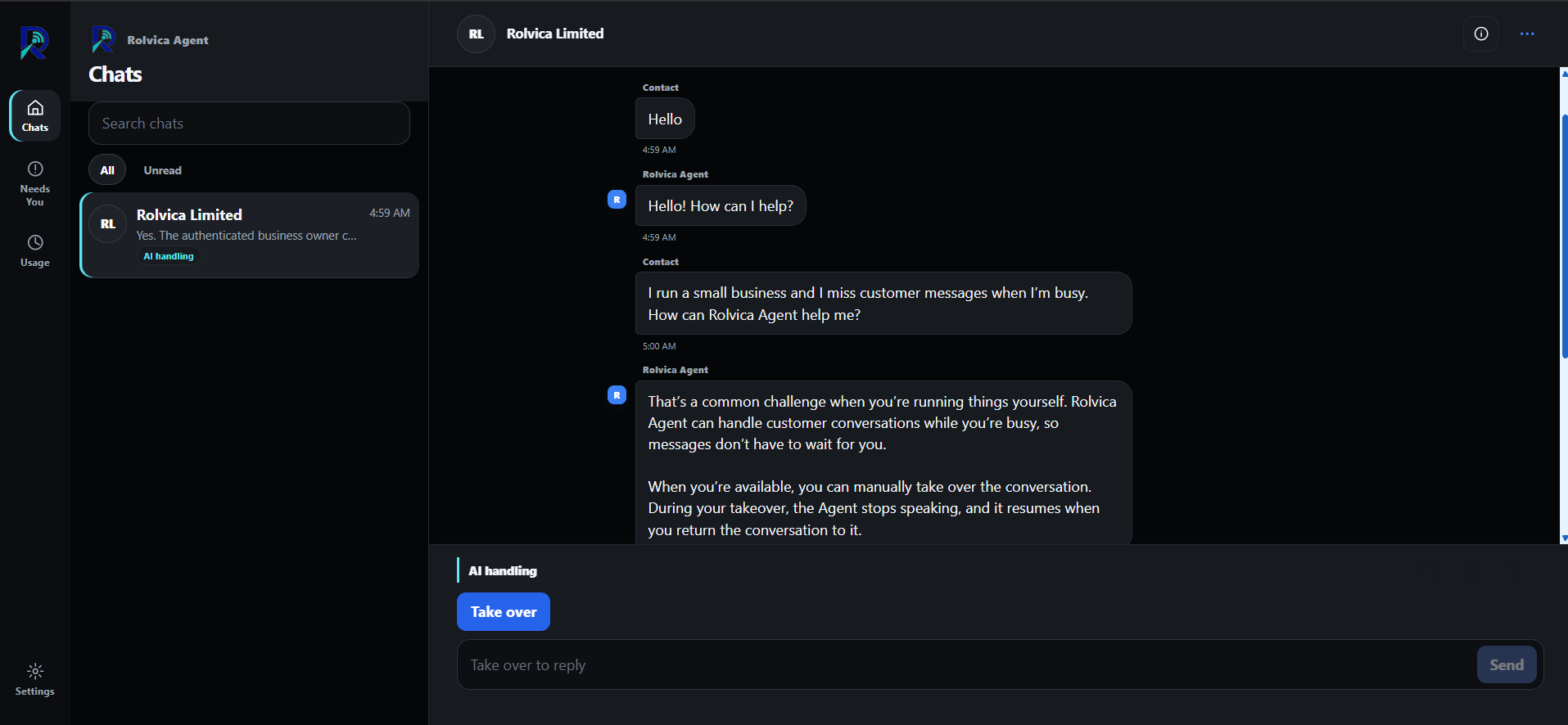
Rolvica Agent Chats workspace showing an AI-handled conversation and Take over control
Rolvica Agent keeps the conversation moving. You stay close to the decision.
Business owner working on a laptop while speaking on the phone

Customers can still get answers while you're busy.

Step into a conversation whenever it needs you, from the same workspace.

AI handling and human control

Let the Agent handle it.
Step in when you need to.

The conversation stays visible while the Agent handles the routine. Take over to reply yourself, then return it to the Agent when you're ready.

AI handlingTake over
Detail of a Rolvica Agent conversation with AI handling and Take over controls

Update what the Agent knows from your workspace.

Replies from your business informationGive the Agent the context and preferences it should use.
Human takeover when a conversation needs youStep in from the same workspace and return the conversation when ready.
Business knowledge you can updateKeep details, FAQs and reply guidance current in Owner Control.
Usage and billing visibilitySee reply usage and plan details inside your workspace.

Pricing

One system. Three reply allowances.

Choose the allowance that fits how often customers reach you.

PlanMonthlyIncludedSupport

Starter

₦25,000 / month

2,000 Agent replies

Standard support

Choose

Growth

₦60,000 / month

8,000 Agent replies

Priority support

Choose

Business

₦150,000 / month

20,000 Agent replies

Priority business support

Choose

Extra usage ₦5,000 / 1,000 replies.

FAQ

A few useful answers.

What is Rolvica Agent?

Rolvica Agent handles routine WhatsApp customer conversations using the business information and preferences configured in Owner Control.

Can I take over a conversation?

Yes. Take over when a human response is needed, then return the conversation to the Agent when you are ready.

What happens when a conversation needs me?

Owner Control keeps conversations that need human attention visible in Needs You, so you can decide what to do next.

How are Agent replies counted?

Your workspace shows Agent reply usage against the allowance included with your current plan.

Use Rolvica Agent like an app

Keep chats and handoff alerts close.

Add Rolvica Agent to your phone for quick access to chats, handoff alerts and business controls.

iPhone / iPadOpen in Safari, choose Share, then choose Add to Home Screen.
AndroidOpen in Chrome or your browser menu, then choose Install app or Add to Home screen.

Answer customers while you work.

Get started